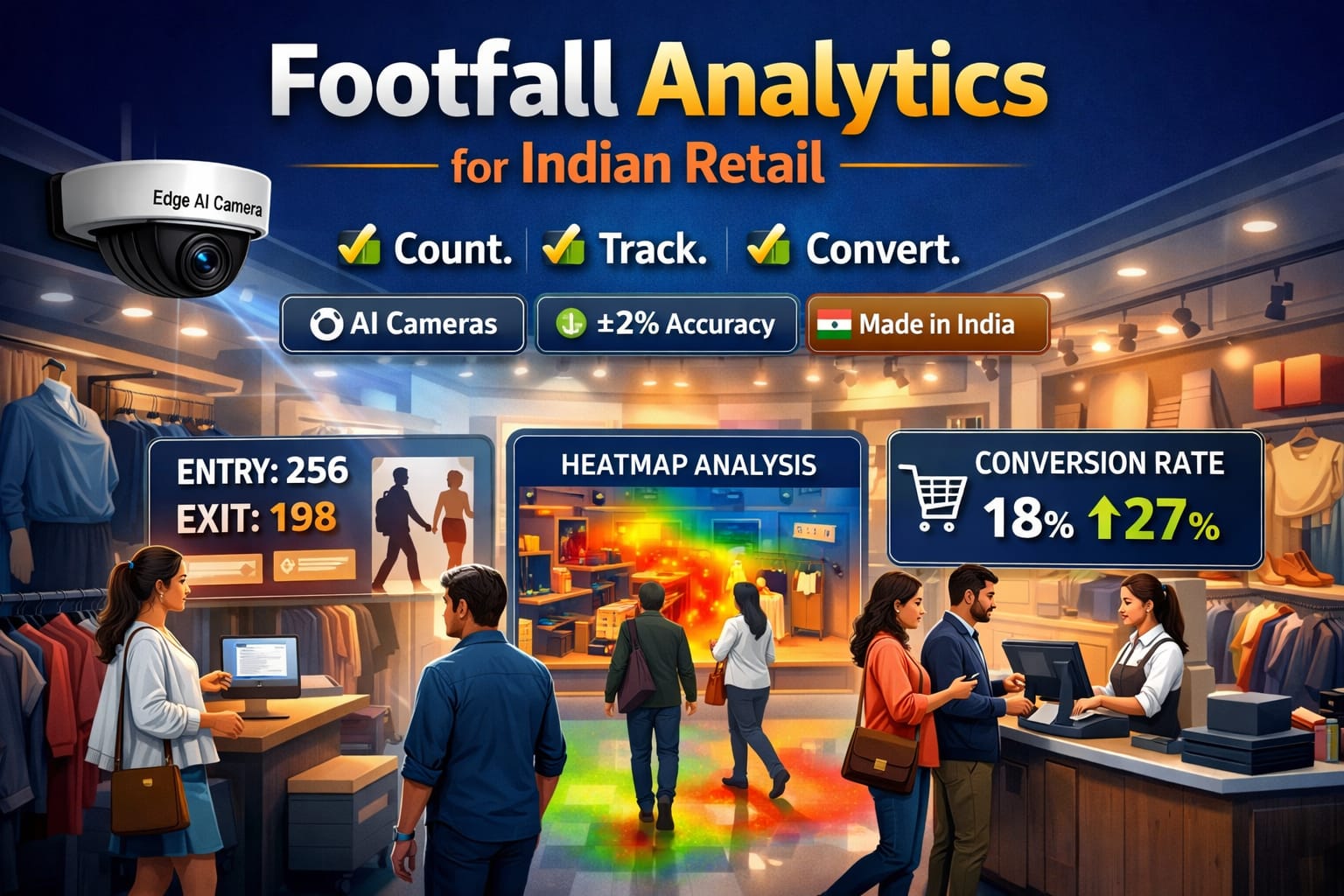

Most CCTV networks in India were designed for “record and rewind.” But 2025 is forcing a different question: can your camera network prevent incidents, automate routine checks, and generate operational intelligence, not just footage?
The good news is you don’t need a forklift upgrade. In most real-world deployments, you can retrofit AI analytics on top of your existing cameras and NVR/VMS with an Edge AI Box that sits inside your network, ingests camera streams, runs AI models locally, and sends alerts and reports to your operations team.
This matters in India for three practical reasons:
- Bandwidth and reliability: pushing multiple HD streams to the cloud is expensive and brittle outside top-tier connectivity.
- Data governance: facial recognition and identifiable video touch personal data obligations under India’s Digital Personal Data Protection Act. MeitY
- Cyber and supply-chain scrutiny: India has tightened oversight for internet-connected CCTV devices, including lab testing requirements that affect how organizations think about risk, vendor choice, and network exposure. Reuters
What follows is a detailed, implementation-grade guide to adding Face Recognition for attendance and visitor management, Fire & Smoke detection, Intrusion detection, and Automatic Number Plate Recognition (ANPR) to an existing CCTV estate, written from the lens of an industry practitioner who has seen retrofits succeed and fail.
Table of contents
What “AI analytics on CCTV” actually means (in plain language)
AI analytics converts video into events and searchable metadata:
- “A person entered Zone A at 02:13 AM”
- “Smoke detected near DG room”
- “Vehicle plate KA01AB1234 entered at 09:17 AM”
- “Employee X checked-in at Gate 2”
Technically, this is done by combining:
- Video streams (RTSP/ONVIF)
- AI models (detection, recognition, classification)
- A rules engine (schedules, zones, thresholds)
- Integrations (access control, gate barrier, HRMS, visitor app, alarms)
Modern IP CCTV interoperability often relies on ONVIF profiles. For analytics metadata, ONVIF Profile M is explicitly built to support analytics configuration and streaming metadata such as vehicles, license plates, faces, and bodies. ONVIF
Three retrofit approaches (and why Edge AI usually wins in India)
Approach 1: Replace cameras with “AI cameras”
Works, but expensive and disruptive. Also, you end up with mixed brands and uneven analytics quality across sites.
Approach 2: Cloud video analytics
Strong for distributed enterprises if you have reliable uplink bandwidth and are comfortable sending video offsite. For many Indian sites, continuous cloud streaming becomes a recurring cost center and operational dependency.
Approach 3: Edge AI Box retrofitted to existing CCTV (recommended for most brownfield setups)
You keep your cameras and recording stack, and add a dedicated compute layer inside your network that:
- Pulls streams from your cameras/NVR
- Runs AI models locally
- Sends real-time alerts + searchable events to apps/dashboards
- Keeps sensitive video on-prem by design
This architecture is also aligned with the broader trend toward “edge intelligence” as video surveillance grows rapidly in India. Market trackers estimate strong growth through 2030 for India’s video surveillance segment. Mordor Intelligence
The retrofit blueprint: step-by-step implementation
Step 1: Audit your existing CCTV estate (do this before you buy anything)
Create a simple inventory:
- Camera types: IP vs analog (DVR).
- Stream access: RTSP available? ONVIF available? Credentials known?
- Resolution and frame rate: 1080p, 4MP, 4K; 15fps vs 25fps.
- Lighting conditions: backlight, night IR glare, mixed lighting.
- Camera placement: face-level views? plate-capture angle? perimeter coverage?
- Recording stack: NVR brand, VMS used, retention policy.
- Network: PoE switch capacity, VLAN segmentation, internet breakout.
A surprisingly common failure mode is: “AI didn’t work” when the real problem was camera angle, glare, or insufficient pixel density at the target distance.
Step 2: Decide your “AI zones” and map them to camera feeds
Avoid blanket enablement. AI works best when you are intentional.
A practical zoning map:
- Gates, lobbies: Face-based visitor logs + staff attendance (where appropriate)
- Basement/parking entry: ANPR for vehicle logging
- Electrical rooms, kitchens, DG room: Fire & smoke detection
- Perimeter boundary, rooftops, warehouse aisles: Intrusion + loitering
Step 3: Choose integration mode with your existing NVR/VMS
Two common patterns:
Pattern A: Cameras feed NVR; Edge Box also pulls streams from cameras
- Pros: best quality stream if pulled directly
- Cons: needs camera credentials and network reachability
Pattern B: Edge Box pulls streams from NVR/VMS (if it can re-stream)
- Pros: simpler for locked-down cameras
- Cons: sometimes lower quality sub-streams, depending on NVR
If your camera/VMS ecosystem is ONVIF-forward, you benefit from cleaner interoperability. ONVIF continues pushing more modern profiles (for example, Profile T is positioned as the successor to older streaming profiles). ONVIF
Step 4: Size the Edge AI Box correctly (channels, compute, storage)
Sizing is where serious buyers separate themselves from casual experiments.
Key sizing dimensions:
- Number of channels: 8, 16, 32, 64 (choose based on current and 12–18 month expansion)
- Concurrent AI models: fire+intrusion+ANPR at the same time needs more compute than a single model
- Storage and event retention: store events + thumbnails locally; keep full video on NVR
Bandwidth reality check (so your network doesn’t collapse):
- A typical 1080p H.264 stream can be in the ~4–5 Mbps range depending on settings. SCW+1
Multiply by camera count, and you’ll see why cloud-first streaming becomes expensive quickly, and why edge processing is attractive.
Step 5: Calibrate cameras for each use case (this decides success)
AI is not magic. It is geometry + light + pixels + rules.
For Face Recognition (attendance/visitor)
- Capture faces near-frontal, not top-down
- Avoid strong backlight from glass doors
- Ensure consistent lighting at choke points (gate, reception)
- Use clear enrollment SOPs (quality photos, consent, update cadence)
For ANPR (number plates)
- Angle matters: plates at oblique angles reduce accuracy drastically
- Night capture needs controlled IR; avoid IR bounce off reflective plates
- Shutter speed and exposure tuning are often required at gates
For Intrusion detection
- Define “virtual lines” and “zones” per camera
- Use schedules: after-hours rules reduce false positives dramatically
- Stabilize the camera (wind shake is a hidden killer on poles)
For Fire & Smoke detection
- Place cameras with a clear view of risk zones
- Avoid steam-heavy areas unless you tune rules accordingly
- Prefer multi-confirmation: smoke + heat pattern + persistence window
Step 6: Operationalize false positives (the difference between demo and deployment)
Every production system needs a loop:
- Alert threshold tuning (confidence score, persistence window)
- Whitelists (known staff, known vehicles, known motion sources)
- Escalation ladder (notification, call, siren, guard dispatch)
- Weekly review of false positives with site ops
If you don’t build this loop, users will silence alerts and the system becomes wallpaper.
Step 7: Build compliance and trust into the rollout (especially for facial recognition)
If you’re using facial recognition for attendance or visitor management, you’re handling highly sensitive personal context. Under India’s DPDP Act, consent requests must be presented clearly with proper purpose disclosure and user choice. MeitY
Practical safeguards that also increase adoption:
- Clear signage at entrances (what is captured, why, retention, contact)
- Data minimization (store embeddings/templates where possible, not raw face images everywhere)
- Strict role-based access (HR vs security vs admin)
- Retention policy (automatic deletion schedule)
- Breach and incident response plan
Use case deep dives (how each works in a retrofit)
1) Facial Recognition for Attendance and Visitor Management
Attendance workflow (production-grade)
- Enrollment with quality control (ID, multiple angles if needed)
- Gate cameras capture face at check-in choke point
- Edge Box runs face detection and matching
- Attendance event is logged with timestamp, camera, confidence score
- Exceptions handled via fallback (QR/manual) to avoid payroll disputes
Where it fits best:
- Corporate offices, factories, schools/colleges, housing society staff check-in
Where to be careful:
- Mixed lighting entry points, very high-throughput gates without channel planning, and any deployment without documented consent and policy.
Visitor workflow (most buyers prefer this)
- Capture visitor face at reception
- Match against watchlists (banned, repeat offender, previous visitor)
- Auto-generate visitor log entries with time and location
This tends to be more defensible operationally because it is tied to physical access events and documented visitor management processes.
2) Fire & Smoke Detection on Existing Cameras
Fire detection is one of the highest ROI retrofits because:
- It reduces reliance on someone “noticing” a CCTV feed
- It can detect visual smoke patterns in zones where sensors are absent or poorly maintained
India’s fire safety problem is non-trivial, and multiple public sources cite significant annual deaths linked to fire incidents. Lukmaan IAS+1
Best practice in factories, warehouses, hospitals:
- Use AI as an early-warning layer
- Integrate alerts to guard room + site manager + on-call ladder
- Couple with SOPs (shut down equipment, trigger evacuation, call fire services)
3) Intrusion Detection and Perimeter Analytics
Intrusion analytics usually combines:
- Person detection (human vs animal vs vehicle)
- Line crossing (perimeter boundary)
- Loitering (time threshold in restricted zones)
This is extremely effective for:
- Rooftops, warehouse perimeters, back gates, school boundaries, parking lots
- After-hours security without adding manpower
4) Auto Number Plate Detection (ANPR)
ANPR retrofits typically deliver immediate operational wins:
- Vehicle entry logs without manual registers
- Resident/employee vehicle identification
- Blacklist/whitelist enforcement at gates
Realistic expectations:
- Controlled entry lanes perform best
- Open roads or high-speed plates need specialized camera placement and tuning
Where IndoAI Edge Box fits (subtle, but important)
An Edge AI retrofit succeeds when the compute layer is treated as a “platform,” not a one-off model.
That’s exactly where IndoAI Edge Box is positioned:
- It lets enterprises upgrade existing CCTV feeds into AI-capable feeds without replacing cameras
- It keeps processing local, reducing bandwidth dependence and improving governance
- It supports a growing suite of models (face-based attendance/visitor workflows, fire & smoke detection, intrusion analytics, ANPR)
- It’s designed to be managed centrally, and it aligns with IndoAI’s broader Appization direction: add or upgrade analytics like installing apps on top of the same infrastructure
In practical buyer language: you’re not buying “one AI feature.” You’re buying a layer that keeps getting better.
A deployment checklist you can hand to your team
Discovery
- Camera list, streams verified, credentials locked
- Identify 10–20% “critical cameras” for phase 1
- Define zones and outcomes per use case
Infrastructure
- VLAN or isolated network segment for CCTV + Edge Box
- UPS for Edge Box and core PoE switches
- Time sync (NTP) across cameras/NVR/Edge Box
AI readiness
- Calibrate angles and lighting at choke points
- Define alert rules and escalation SOPs
- Plan weekly tuning review in first 30 days
Governance
- Consent and signage for FR deployments
- Role-based access controls
- Retention and deletion schedules
FAQs
1) Can I add AI analytics if I have old analog (DVR) cameras?
2) Do I need to replace my NVR?
3) How many cameras can one Edge AI Box handle?
4) Will AI slow down my CCTV network?
5) Is cloud AI better than edge AI?
6) How accurate is face recognition for attendance?
7) Do we need consent for face recognition in offices or schools?
8) Can fire and smoke detection work on normal CCTV cameras?
9) Why does intrusion detection generate false alarms?
10) Can ANPR work at night?
11) Do I need ONVIF cameras?
12) Can I search video later by “a red car” or “a person with a helmet”?
13) What about cybersecurity risks in CCTV systems?
14) What is a realistic rollout plan?
15) What KPIs should I track to prove ROI?
– Number of validated alerts vs false alerts
– Shrinkage reduction (retail/warehouse)
– Reduced guard dependency in after-hours zones
– Automated compliance logs (attendance, visitor records, vehicle logs)